Can I Download All My Google Photos at Once? Yes, Here Is How
You can download all your Google Photos at once with Google Takeout, not from the app. The steps, how long it takes, the zip parts, and the date problem afterwards.
Yes. Google Takeout downloads your entire Google Photos library in one export: every photo and video, every album, with a .json file per photo that holds its date and place. The Google Photos website and phone app cannot do this. They have no "select all" for the whole library and only download what you select. Takeout splits a large library into several zip files, so "at once" means one request and a few downloads.
Why the app cannot download everything
On photos.google.com you can tick a photo, hold Shift and click another to select everything in between, then press Shift + D to download. That works for a day, a trip or an album. For a library of 20,000 photos it fails: big selections are slow to build, the zip is assembled in the browser session, and large downloads often stop halfway. The phone app downloads one photo or a small selection to the phone. Neither gives you the .json files with the dates. More on this in downloading Google Photos without Takeout.
Download all Google Photos at once, step by step
- Go to takeout.google.com on a computer.
- Click Deselect all. Takeout otherwise exports every Google service.
- Tick Google Photos. Leave All photo albums included as it is.
- Click Next step.
- Choose Send download link via email and Export once.
- Choose .zip and a file size. With 50 GB, a 120 GB library comes as three files. With 10 GB, as twelve. Bigger parts mean fewer clicks; smaller parts mean less to redo when one fails.
- Click Create export.
- When the email arrives, click Download your files and download every part. Allow the browser to download several files.
- Check that you have every part number and that none is suspiciously small.
How long does it take?
Two waits. First Google prepares the export, from under an hour for a few GB to a day or more for hundreds of GB. Then the download itself, which depends on your connection: 100 GB takes about 2.5 hours at 100 Mbit/s and about a day at 10 Mbit/s. Why Google Takeout is slow has more.
The links work for 7 days, and each part can be downloaded only a limited number of times. Do not start the export the day before a trip.
Why does Takeout split it into many zip files?
Large single files fail more often and are hard to store on some drives. Takeout cuts at the size you choose. A photo can end up in one part and its .json file in another, so always unpack all parts into one folder, or use a tool that reads all the zips together. See why Takeout splits into parts.
What you get, and the catch
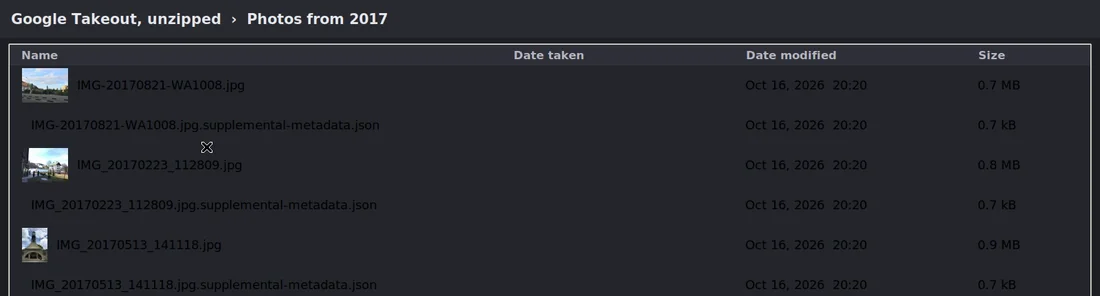
Open the folder and you find Takeout/Google Photos/ with year folders, album folders and a .json file next to most photos. Open the photos and many show today's date: screenshots, chat images, scans, edited photos and anything you re-dated in Google Photos. Their real date is only in the .json file, and no photo app reads it. Albums arrive as folders of copies, so some photos appear twice or more.
Put the dates back in one run
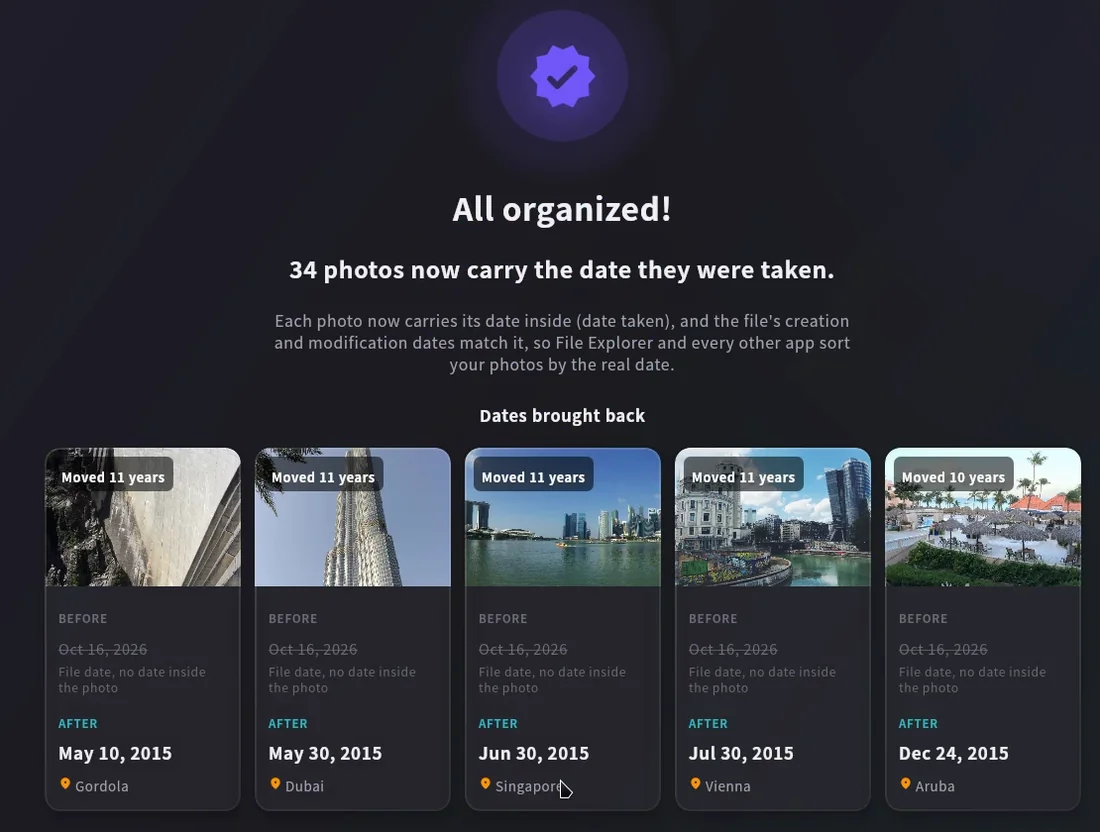
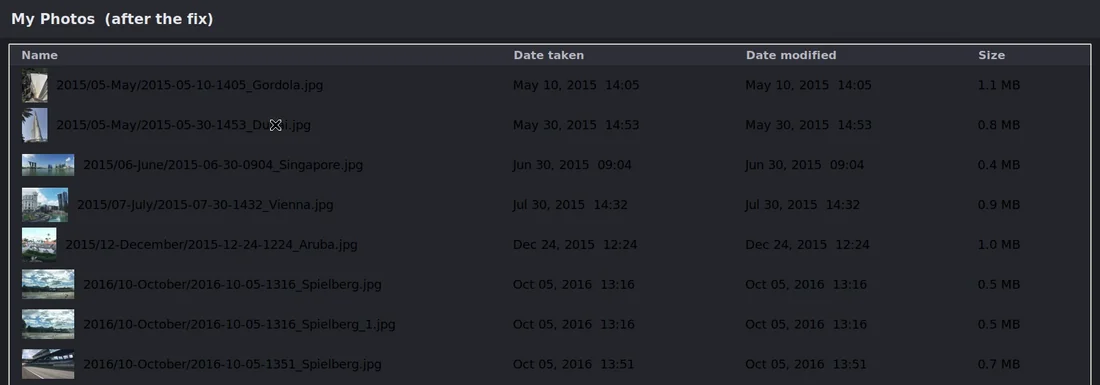
Takeout JSON Metadata Fixer for Windows and Mac reads all your zip files at once, matches every photo to its .json file and writes the real date taken and GPS position into the photo. It also sets the file dates and, if you like, sorts everything into Year/Month folders. Exact copies already in the destination are skipped. The first 500 photos are free, so you can try it on your own export; Premium is $19.99 once.
Free alternatives for terminal users: exiftool (commands), GooglePhotosTakeoutHelper, and immich-go if you are moving to Immich.
Frequently asked questions
Can I download all Google Photos at once on my phone?
You can request the Takeout export on a phone, but downloading and unpacking tens of gigabytes is far easier on a computer.
Does it download shared albums too?
Takeout includes photos that are in your library. Photos other people added to shared albums are only included if you saved them to your library.
Will it delete anything from Google Photos?
No. Takeout only makes a copy.
For every setting explained and what to do afterwards, read how to download all your Google Photos.